Quick Guide
- Catto Pew Pew! supports full crossplay, allowing VR and PC (flatscreen) players to matchmake together.
- Friends can easily form parties regardless of whether they are playing on VR or PC via Steam.
- The game is free-to-play, removing barriers for friends to join cross-platform sessions.
- Meta Quest users can access PC VR crossplay through Steam Link for broader compatibility.
Unleash Cross-Platform Chaos in Catto Pew Pew!
Get ready for some feline-fueled mayhem, because Catto Pew Pew! isn't just about physics-based shooting and competitive fun—it's also about bringing everyone together. One of the game's standout features is its robust crossplay support, allowing players on both Virtual Reality (VR) headsets and traditional PC flatscreens to dive into the same chaotic arenas. If you're wondering how Catto Pew Pew! Steam crossplay VR PC works for live matchmaking and party play, you're in the right place. This guide will walk you through the seamless integration that keeps friends and competitors united, no matter their preferred platform.
Seamless Crossplay: VR and PC United
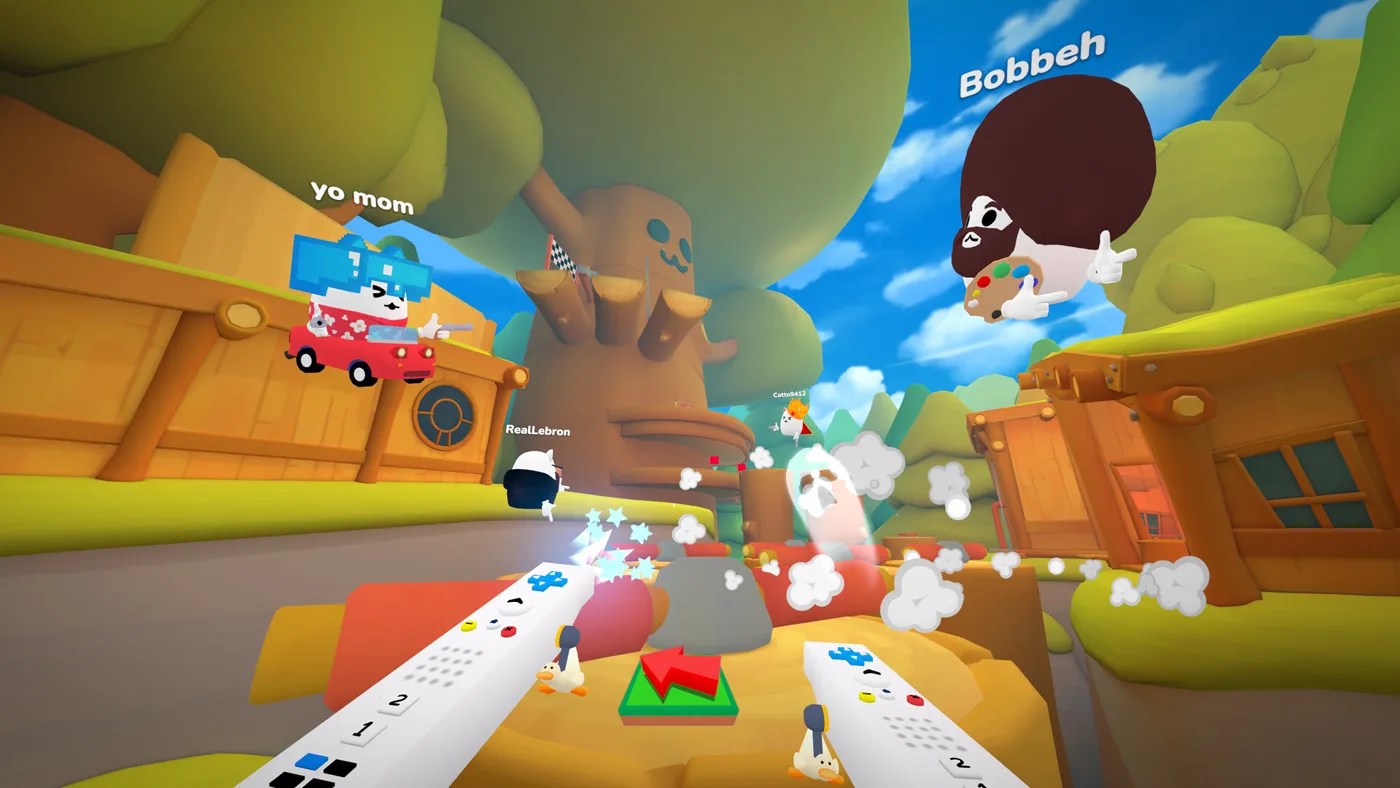
At its core, Catto Pew Pew! is designed for inclusivity, ensuring that the fun isn't limited by your hardware. The developers have built the game with full cross-platform multiplayer capabilities directly into its Steam version. This means that players enjoying the game on a standard PC monitor (flatscreen) can effortlessly join matches and party up with friends who are immersed in VR.
Whether you're queuing for a quick public match or inviting specific friends to a private lobby, the crossplay system handles the connections automatically. There are no separate queues or restricted lobbies; the game's matchmaking pools all available players, VR and PC alike, into the same competitive environment. This unified approach not only ensures faster matchmaking times but also fosters a larger, more vibrant community.
Catto Pew Pew!'s crossplay functionality is designed to be fully integrated, meaning VR and PC players share the same matchmaking pools and can easily form parties together without any special settings or limitations.
How Matchmaking Works
When you hit the "play" button in Catto Pew Pew!, the game's matchmaking system doesn't differentiate between VR and PC players. It simply looks for available slots and suitable opponents to create balanced matches. This means you could be a flatscreen player squaring off against a VR opponent, or vice-versa, adding an interesting dynamic to the gameplay as different input methods and movement styles collide.
Party Play with Friends
One of the biggest advantages of Catto Pew Pew!'s crossplay is the ability to easily play with your friends, regardless of their setup. If you have a friend who prefers the immersive experience of VR, while you stick to your PC, you can still invite them to your party. The game's party system is platform-agnostic, allowing you to send invites and group up seamlessly. Once in a party, you'll enter matchmaking together, ensuring you stay on the same team or in the same match, bringing your collective chaos to the arenas. This unified party system is crucial for a game that thrives on social interaction and friendly competition, further enhancing the Catto Pew Pew! Steam crossplay VR PC experience.
Playing Your Way: VR vs. PC Experience
While crossplay unites players, the gameplay experience itself offers unique flavors depending on your platform.
- PC (Flatscreen): Players use traditional mouse and keyboard or gamepad controls, offering precise aiming and movement in a familiar 2D environment.
- VR: Immerses players directly into the action. VR players can utilize unique mechanics like "Monke Mode," which allows them to swing their arms to parkour around arenas, adding an extra layer of physical engagement and strategic movement.
Despite these differences, the core objective—shooting opponents into the sky and claiming victory—remains the same. Proximity chat further bridges the gap, allowing all players, whether on VR or PC, to communicate directly with those nearby, enhancing the chaotic and social atmosphere that Catto Pew Pew! is known for. This ensures that even with distinct playstyles, the shared experience of competitive fun is paramount.
Getting Started with Catto Pew Pew! Crossplay
Jumping into the cross-platform action is straightforward, especially since Catto Pew Pew! is a free-to-play title available on Steam.
- Download the Game: Simply head to the official Catto Pew Pew! Steam page and install the game. It's completely free, making it easy for anyone to join.
- Account System: The game requires a 3rd-party
Catto Pew Pew!Account System. This likely facilitates the cross-platform identity and progression, ensuring your stats and friends list are consistent regardless of how you play. - Launch and Play: Once installed, launch the game. Whether you're launching it in VR mode (if you have a compatible headset connected) or flatscreen mode, you'll be connected to the same player base.
- Meta Quest Compatibility: For Meta Quest 2 and Meta Quest 3 users,
Catto Pew Pew!supports VR crossplay through Steam Link. This means you can wirelessly stream the Steam VR version of the game to your Quest headset, allowing you to participate in the same cross-platform matches as other PC VR and flatscreen players.
The ease of access and the game's free-to-play model significantly lower the barrier to entry, encouraging a wider audience to experience the Catto Pew Pew! Steam crossplay VR PC action.
Why Crossplay Boosts the Catto Pew Pew! Experience
Crossplay is more than just a technical feature; it's a cornerstone of a healthy multiplayer game community. For Catto Pew Pew!, it provides several key benefits:
- Larger Player Base: By uniting VR and PC players, the game maintains a larger pool of active participants, leading to quicker matchmaking and more diverse opponents.
- Social Connectivity: Friends can play together regardless of their hardware preference, strengthening social bonds and encouraging group play.
- Enhanced Longevity: A unified player base contributes to the game's long-term viability, ensuring there's always someone to play with.
- Accessibility: The free-to-play model combined with crossplay makes
Catto Pew Pew!accessible to a broad audience, from dedicated VR enthusiasts to casual PC gamers.
This commitment to cross-platform compatibility is a major reason why Catto Pew Pew! has garnered a "Mostly Positive" review status on Steam, with players appreciating the ability to connect and compete across different devices.
FAQ
Does Catto Pew Pew! support crossplay between VR and PC players?
Yes, Catto Pew Pew! offers full crossplay, allowing players on VR headsets and PC flatscreens to play together seamlessly in the same matches and parties.
How do I invite PC friends to my VR game in Catto Pew Pew!?
You can invite friends to your party directly through the in-game party system, regardless of whether they are playing on VR or PC. The game handles the cross-platform connection automatically.
Is Catto Pew Pew! crossplay available on platforms other than Steam?
The primary crossplay experience for Catto Pew Pew! between VR and PC is facilitated through Steam. Meta Quest users can also access this crossplay by utilizing Steam Link to play the PC VR version.
Do VR and PC players have any advantages or disadvantages against each other in Catto Pew Pew! crossplay?
While VR players have unique movement options like "Monke Mode" and PC players have traditional aiming, the game is designed to create a balanced and chaotic competitive environment where skill and strategy are key, regardless of your platform.